Here image processing is treated as set operations like intersection and union
Group of contiguous pixels together that have the same color, (white pixels are represented as 1s in binary images), are called a set and all set operations apply on them
Some operations
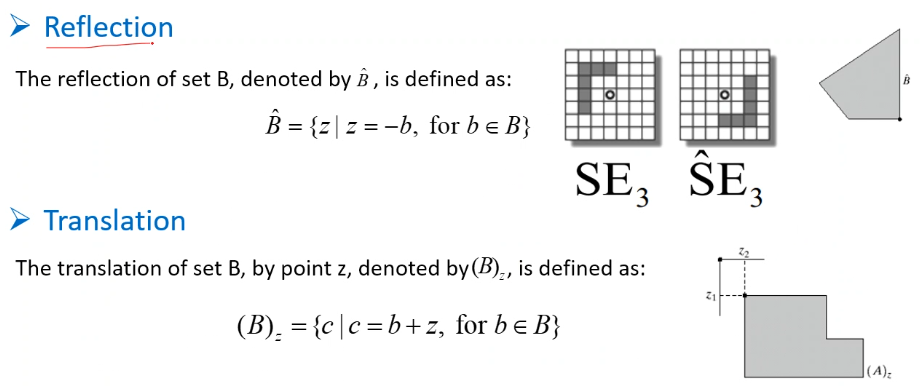
Useful for:
- Dilation: i.e. make something larger, or filling gaps
- Erosion is the complete opposite, used for shrinking and removing irregularities
Dilation
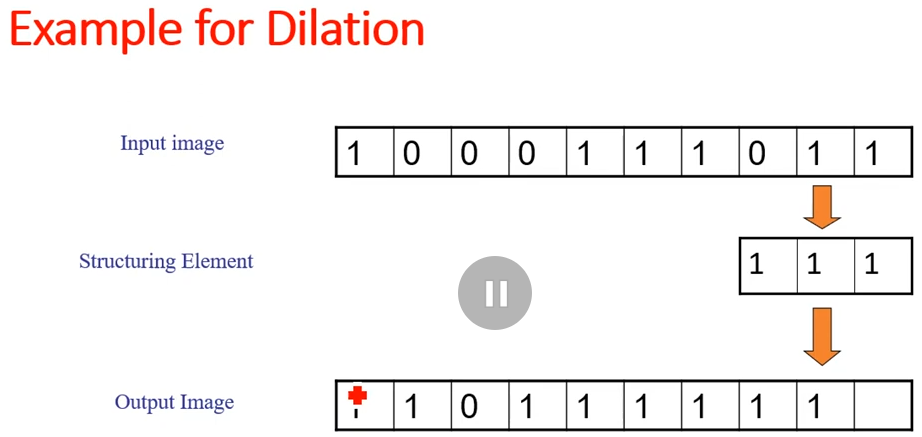
If there is any overlap between a 1 in the image and a 1 in the structuring element, then the output is one. This causes the ones to increase, which leads to dilation
During dilation we reflect the structural element
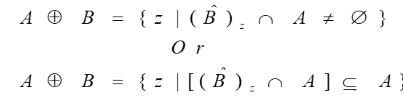
The formal definition of dilation is:
Erosion
Erosion gives 1 only and only if ever 1 in the structure element overlaps a 1 in the input image slide.
During erosion we don’t reflect the structural element
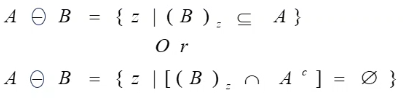
The formal definition of erosion:
Operations that use Dilation and erosion
- Opening:
Erode then dilate, used to remove small objects, breaking narrow bridges and eliminating thin protrusions while keeping the original shape of wanted objects.

We use dilation after erosion in opening because after erosion everything shrinks and unwanted objects get removed, to remove the effect of shrinking of the wanted objects we dilate again.
- Closing: Dilate then erode, used to fill gaps while keeping the original shape of other things
TODO!: Symbols and formal definitions
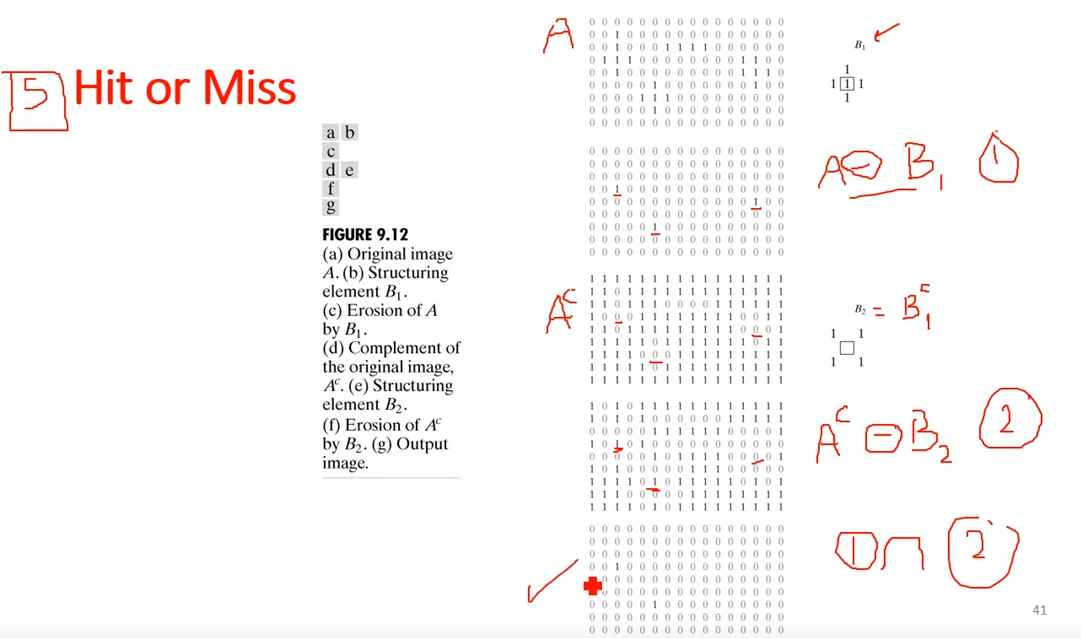
In Hit or Miss operations with rectangular structural element, the inverse of this element will be adding a border around it with ones
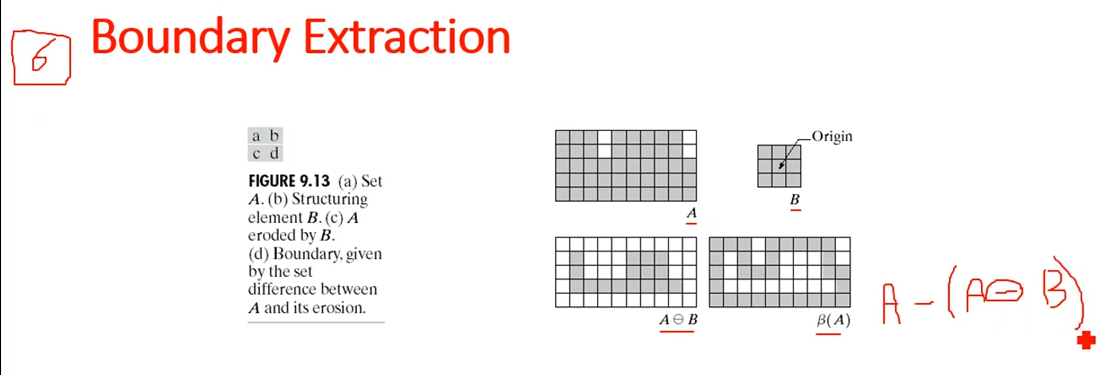
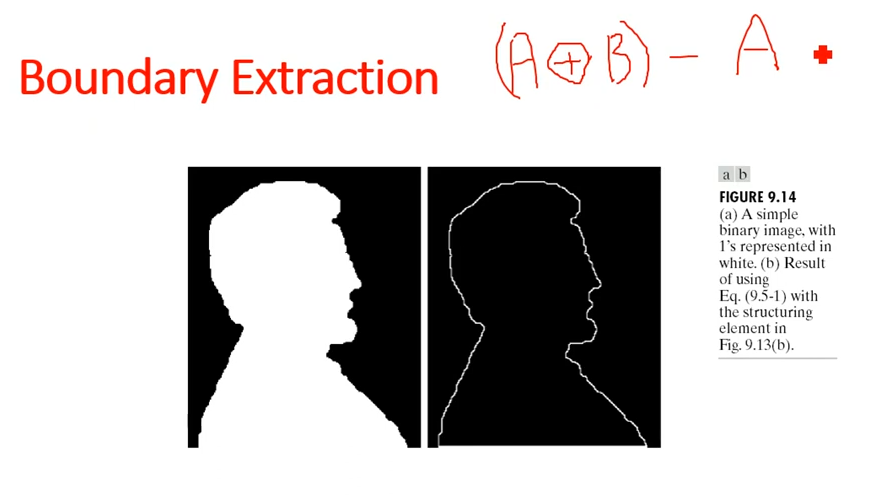
Region Filling
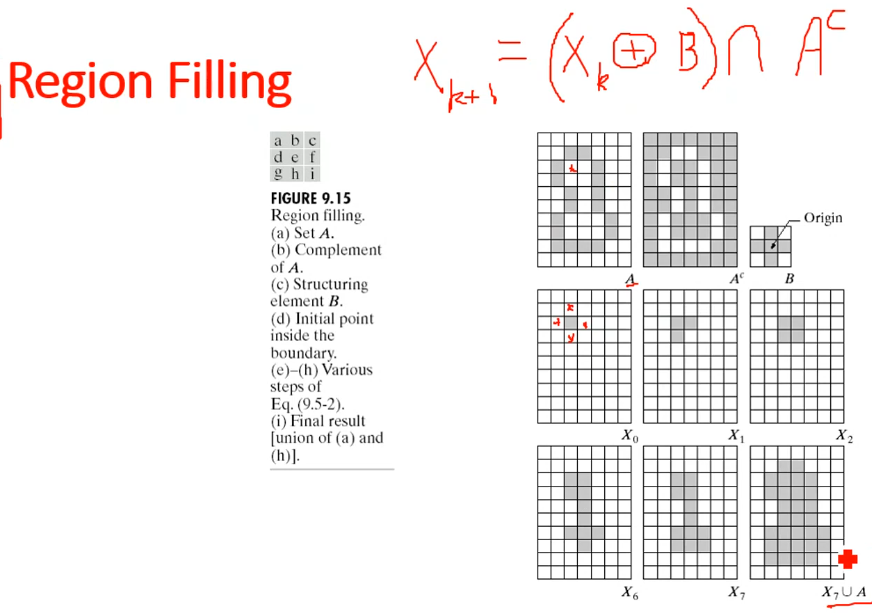
An iterative process where we choose a random pixel inside an object and dilate it with a + structure structured element, and every iteration we take the result of the operation and subset it from the complement of the original image.
Another Example
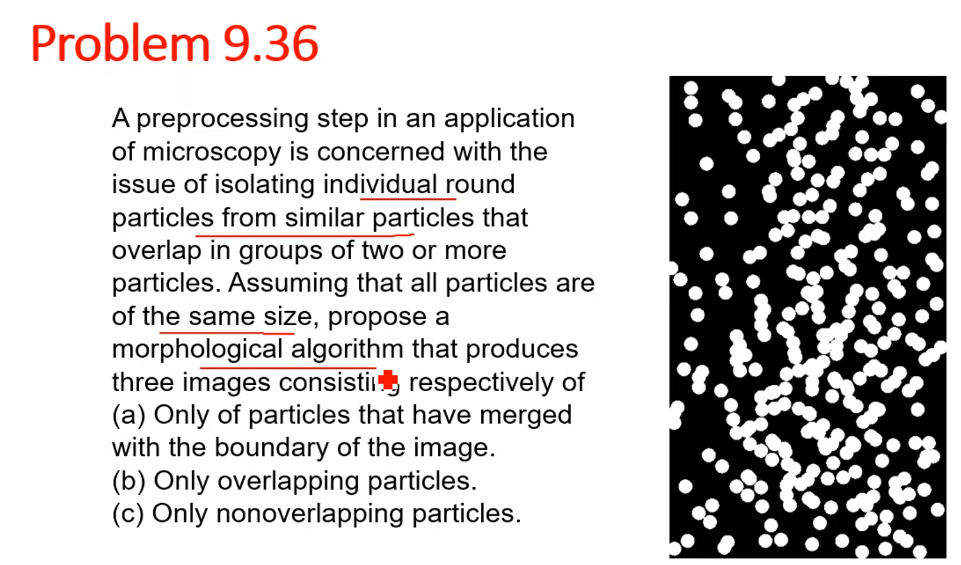
Example
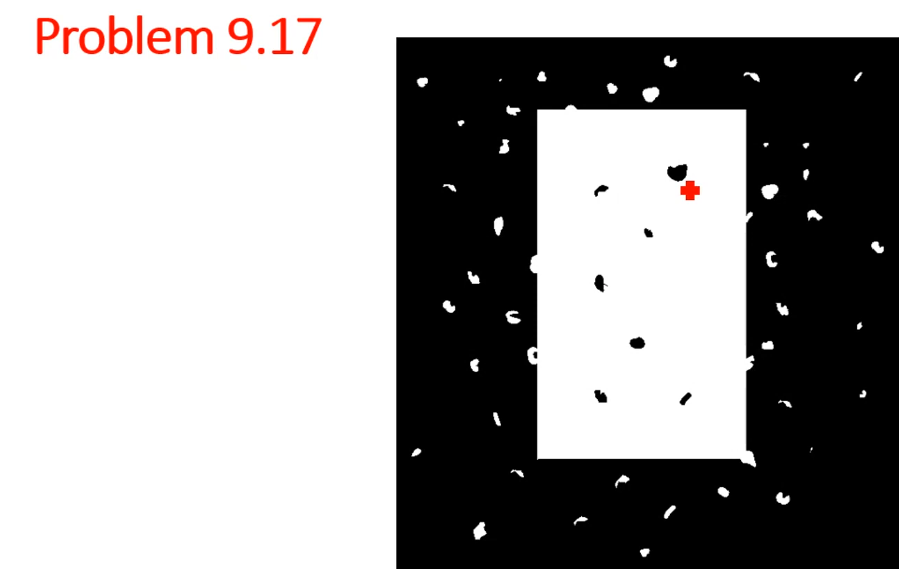
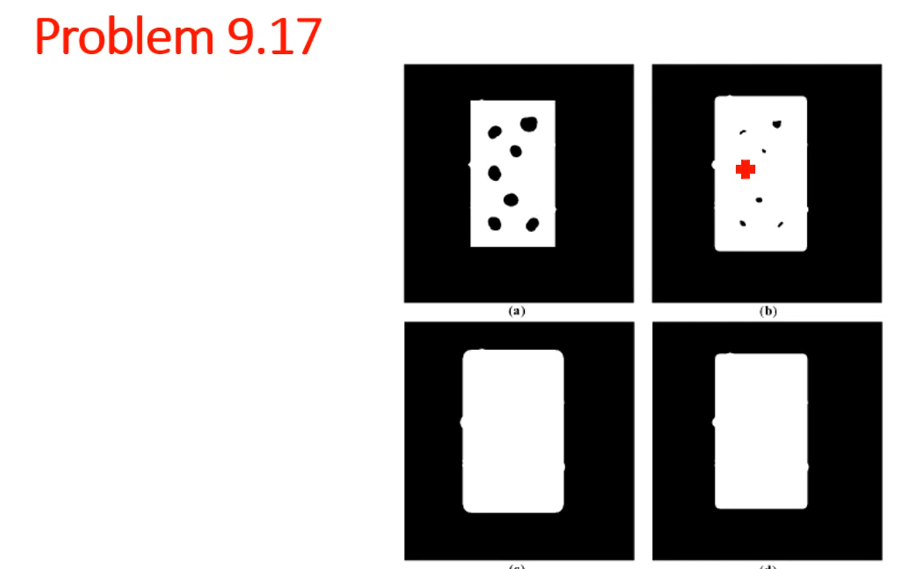 The original picture had white objects all around so to fix it we do the following steps:
- We apply erosion with SE a bit larger than the white object, which leads to (a)
- then we dilation with the same SE to get the original square to the original size
- After that we do dilation with a SE the same size ? as the circles
- Lastly we do an erosion with the SE to make the original square the same size again
In the original picture the rectangle had sharp corners, after these operations the object got a rounded corner.
More
Border replication
A padding technique that uses the same pixels in the border to pad